# Track Usage

## How to Access Analytics

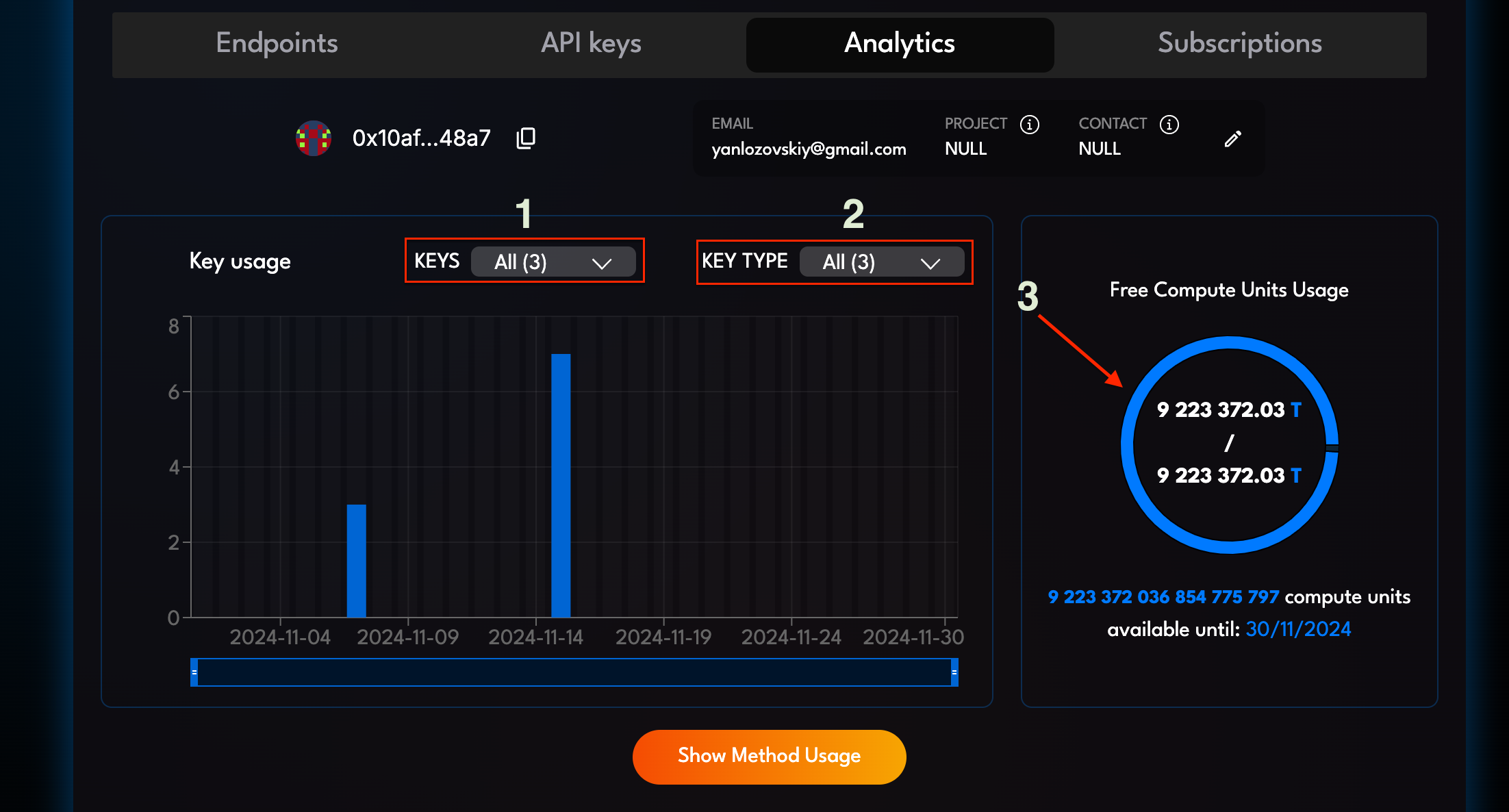
To access usage analytics for your query keys:

1. Go to **Analytics** tab.
2. Explore data in **Key Usage Statistics** by key or type.

<div align="center" data-full-width="false"><figure><img src="https://1171493456-files.gitbook.io/~/files/v0/b/gitbook-x-prod.appspot.com/o/spaces%2FPWuDHqT5CRbrc5eu4gbw%2Fuploads%2Fgit-blob-6396e639549e723a4ac63fe1b3b9f5a2e8df6476%2Fkey-usage-statistics-table.png?alt=media" alt=""><figcaption><p>Key Usage Statistics interface: 1 — filter by query key, 2 — filter by query key type, 3 — available credits tracker</p></figcaption></figure></div>

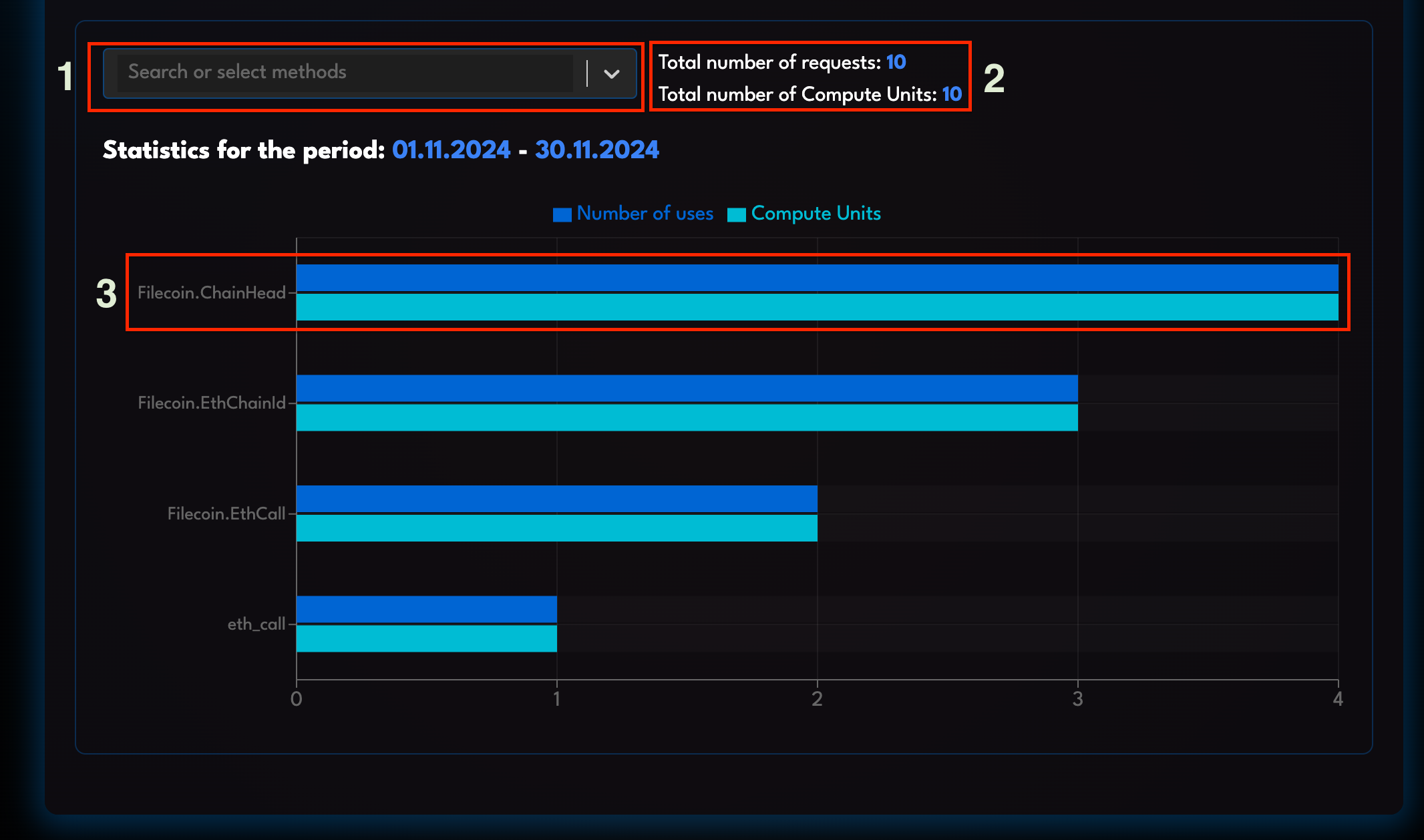
3. Click **Show Method Usage** for detailed insights.

<div align="center" data-full-width="false"><figure><img src="https://1171493456-files.gitbook.io/~/files/v0/b/gitbook-x-prod.appspot.com/o/spaces%2FPWuDHqT5CRbrc5eu4gbw%2Fuploads%2Fgit-blob-2b16aa74617db2b513ab490662674375a57fd1cb%2Fmethod-usage-insights-table.png?alt=media" alt=""><figcaption><p>Method Usage Insights interface: 1 — filter by method, 2 — summary, 3 — per-method breakdown</p></figcaption></figure></div>

Based on the real-time usage data, you can monitor and optimize query key cost-efficiency.

Currently, no other metrics are being provided. Please let us know if there is a certain metric that of a specific interest to you.